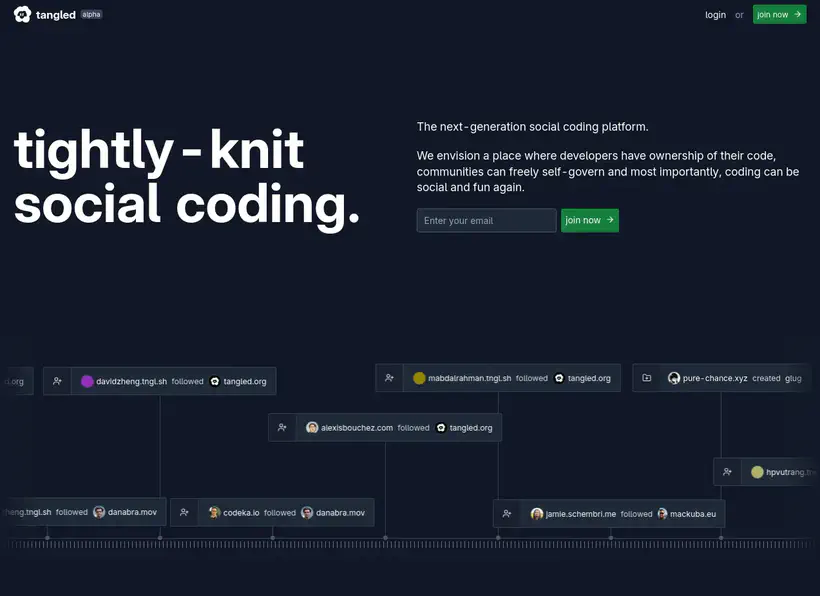
With the progressive decline of GitHub, we are seeing more and more messages from companies or projects looking to leave it.
Beyond hosting a simple Git service, GitHub was also a social network platform. Developers share their code, and we discover new projects there. Over the years, it has become the place where Open Source lives (although GitHub’s own source code is closed, ironically!).
Tangled is an alternative to GitHub: Git hosting (almost classic), social interactions (stars, issues, etc.), static site hosting (like GitHub Pages), and pipeline execution (similar to GitHub Actions).
And all this with possibilities of self-hosting, linked to the AT Protocol, for both code and pipelines.
It looks quite complete, and it’s still in alpha version, so stability and features will continue to evolve in the coming months.
I tested it for you.
What is Tangled?
Tangled is a “social” code hosting platform. The platform was launched in March 2025 and has benefited from a recent hype.
Think of Tangled as an alternative to GitHub, or even GitLab.
Tangled relies on three distinct elements:
- AT Protocol for user authentication and storage of social data (stars, issues, PRs, etc.)
- Git servers, called knots, for code data storage
- CI runners, called spindles, for pipeline execution
Tangled hosts its own AT Protocol PDS (tngl.sh).
If you don’t have an AT Protocol account yet (like a Bluesky account), you can create one that will be hosted on tngl.sh. If you already have an AT Protocol account, on a PDS belonging to Bluesky or another like Eurosky, you can use that account without having to create a new one.
Tangled’s PDS is hosted in Finland. The rest is declared as being hosted in Europe, without further details provided, but the IP addresses behind the tangled.org domain are associated with UpCloud in Sweden.
The use of AT Protocol is a stroke of genius. All data related to Tangled is stored on your PDS, in records prefixed with sh.tangled. If you migrate your account to another PDS, the data follows you.
Here is an example screenshot of the AT Protocol records for my account (which is still on a PDS operated by Bluesky, shame on me):
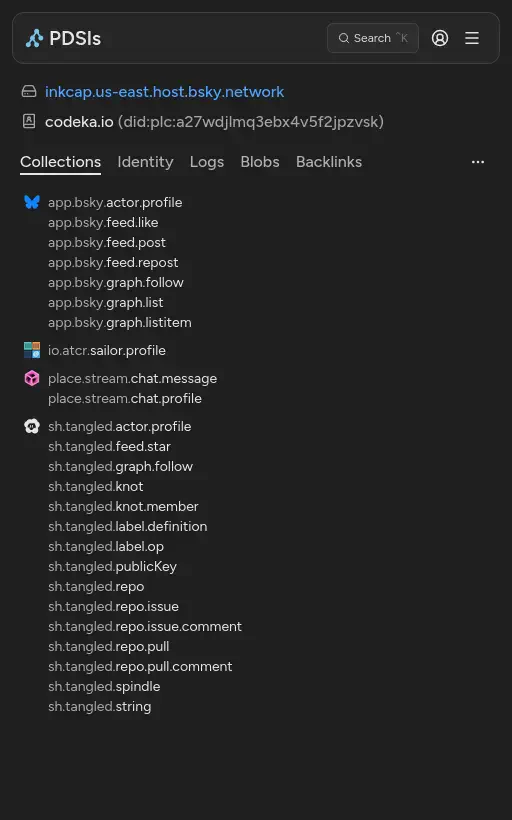
Alongside records used by Bluesky and other apps, you can see all records related to Tangled.
For hosting Git data, Tangled’s knots are used. Knots are simple Git servers, self-hostable, which are connected to the main application with a small custom binary (which mainly allows listening to AT Protocol events). Once again, Tangled has its own knot, which allows hosting code without needing to start your own instance. But if you want to host your own knot, to maintain control of your Git data, it is also possible.
Finally, the same principle applies to spindles, which are CI runners. Here too, Tangled offers its own spindle, but it is possible to self-host one.
Tangled is entirely Open Source, so it is also possible to self-host your own instance of the App (although it might be very complicated, I haven’t tried that part).
Finally, Tangled is developed in Go and uses Nix almost everywhere, both for contributors’ development environments and for self-hosting components, as well as in CI pipelines. I think this aspect also contributes to the Tangled hype.
Account Setup
If you already have an AT Protocol account (mainly Bluesky), creating your account on Tangled is done simply by logging in with your existing account.
Data related to Tangled is then stored on your PDS.
I haven’t migrated my account to an independent PDS yet, like Eurosky’s, so I don’t know concretely how this step works in that case, but no doubt it works.
Once this first step is passed, you have access to the platform.
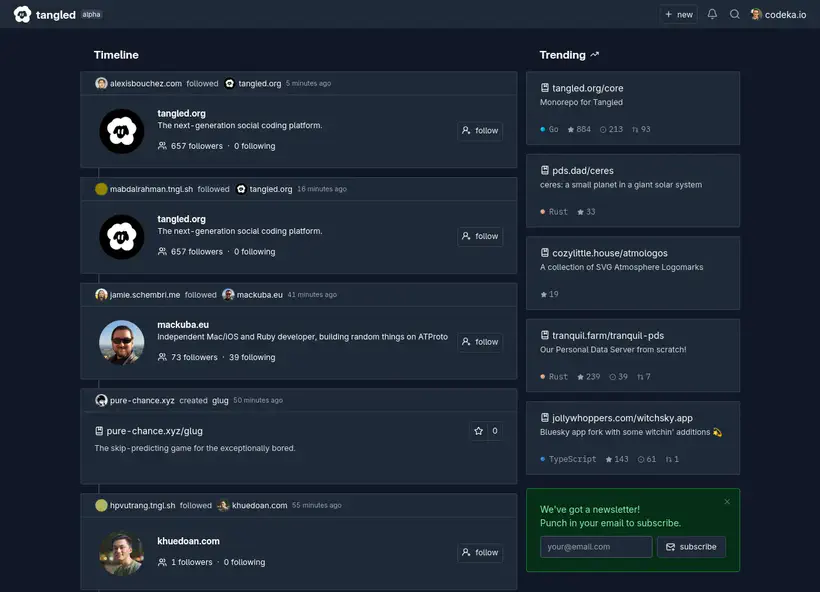
The home page displays a timeline with activities from other people, and a few Trending repos.
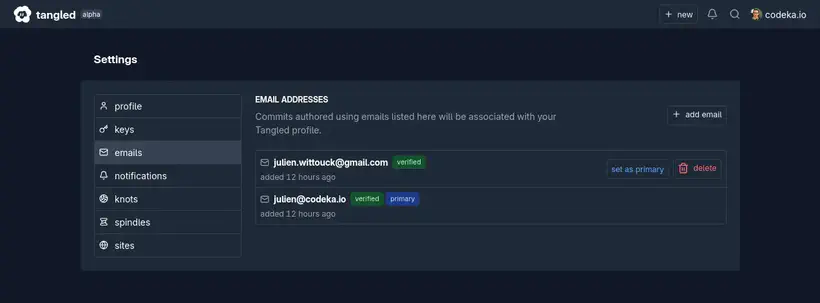
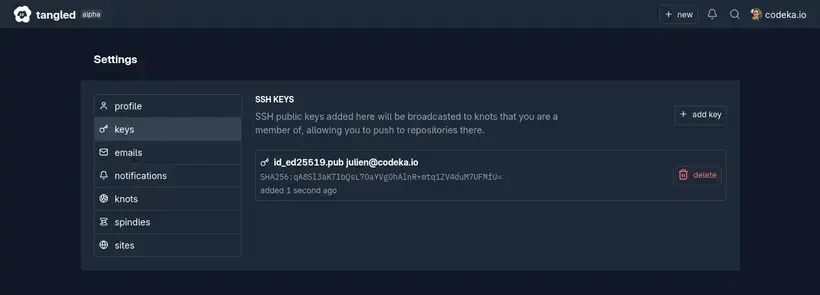
As with all Git hosting, there is a bit of setup to do: configure SSH keys to push code and configure email addresses to link commits to the account.
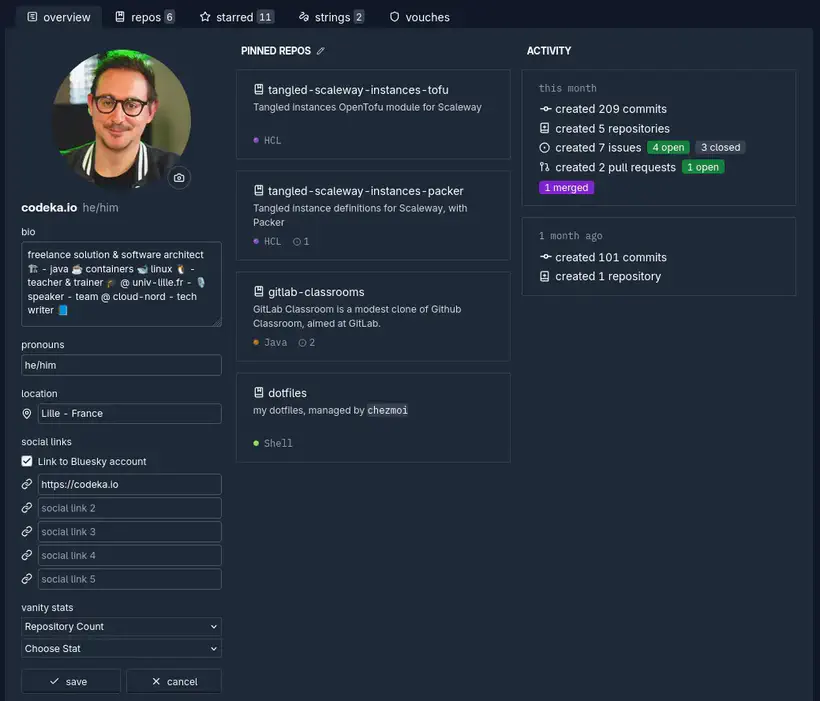
For the social aspect, you can also configure your profile with a photo, a bio, and a few links. You can also select which repos will be featured on your profile page with Pinned Repos.
Tangled also supports commit signature verification (only with SSH keys for now).
For this part, you need to configure your .gitconfig file, indicating your SSH key in user.signingkey, forcing the ssh format for gpg, and enabling gpgsign in commit and tag:
[user]
    email = julien@codeka.io
    name = Julien WITTOUCK
    signingkey = /home/jwittouck/.ssh/id_ed25519.pub
[gpg]
    format = ssh
[commit]
    gpgsign = true
[tag]
    gpgsign = true
Once all these steps are ready, you can start coding and importing repos!
Code Management
Tangled is primarily a Git platform. You can very easily create repos and push code there, nothing surprising so far.
You can also host your own knot, which allows you to store Git repos on your own servers.
Create a new repo
Creating a repo is done in a few clicks.
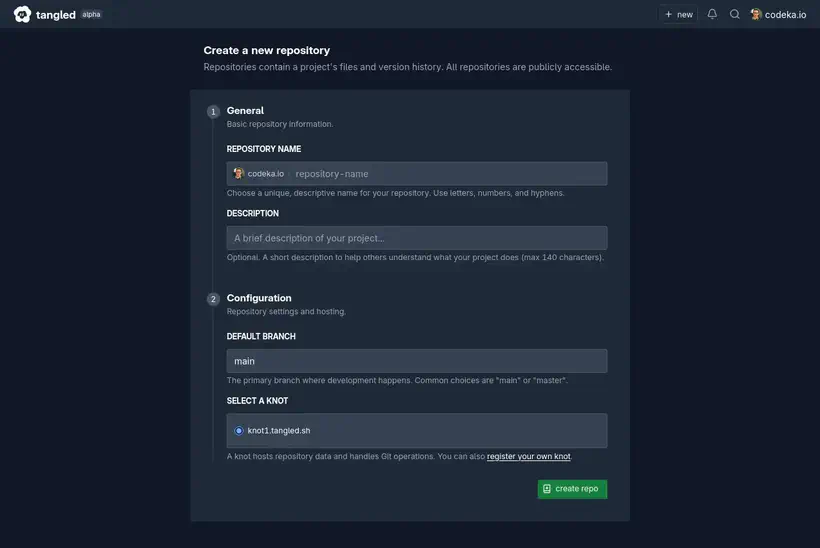
A subtlety in repo creation is the selection of the knot, which is the server hosting the repo. I will come back to this point later, detailing the part related to self-hosting.
Once the repo is created, you are simply offered to push code there.
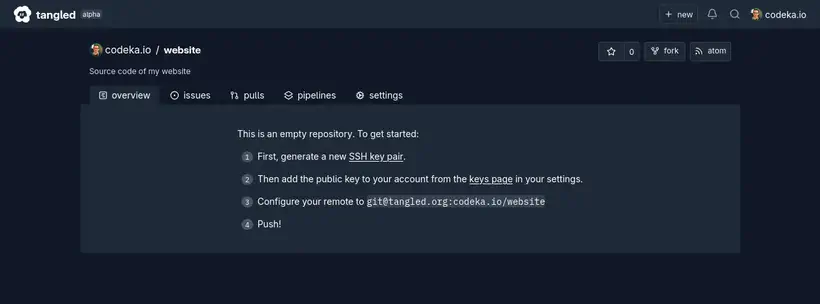
I add the repo to my Git remotes with the git remote command, then I push the code with git push.
$ git remote add tangled git@tangled.org:codeka.io/website

$ git push tangled
The authenticity of host 'tangled.org (2a04:3541:8000:1000:24de:d2ff:fe7c:6eaf)' can't be established.
ED25519 key fingerprint is SHA256:fLyp6ivr5HqmGI8yJiPYstTiJa2AXF/RAa9kF/ur1xo.
This key is not known by any other names.
Are you sure you want to continue connecting (yes/no/[fingerprint])? yes
Warning: Permanently added 'tangled.org' (ED25519) to the list of known hosts.

Welcome to Tangled's hosted knot! 🧶

Enumerating objects: 4145, done.
Counting objects: 100% (4145/4145), done.
Delta compression using up to 22 threads
Compressing objects: 100% (3858/3858), done.
Writing objects: 100% (4145/4145), 615.41 MiB | 9.50 MiB/s, done.
Total 4145 (delta 1993), reused 309 (delta 72), pack-reused 0
remote: Resolving deltas: 100% (1993/1993), done.
To tangled.org:codeka.io/website
 * [new branch]      main -> main
The code appears correctly in the repo, first step completed!
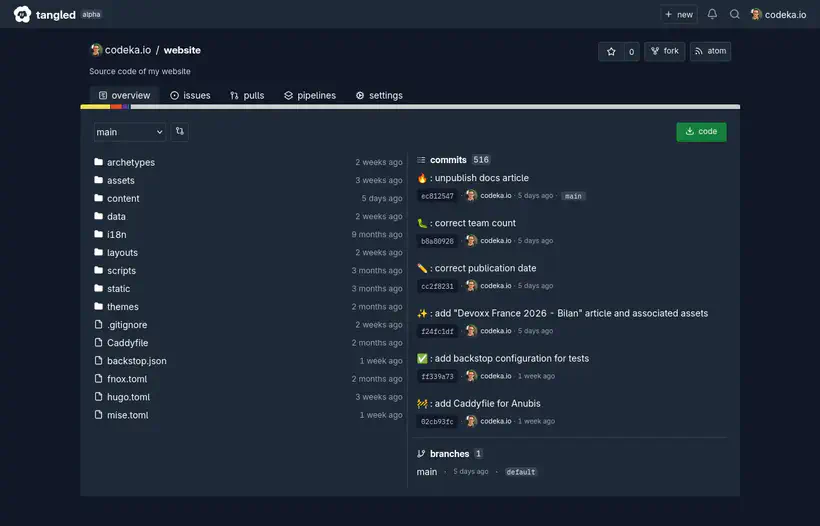
Nothing special to report on these points, push/pull work fine.
Regarding the repository visualization interface, you first find the code and the commit history, no need to go into a sub-menu to access them, which I find practical.
You can easily navigate between branches and tags.
The project’s README.md is displayed below the code.
In the repo settings, you configure the description, a website URL, and topics (which might be used to search for repos in the future).
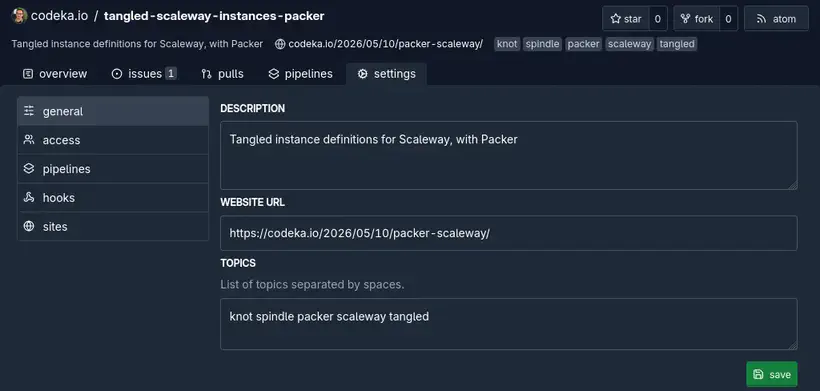
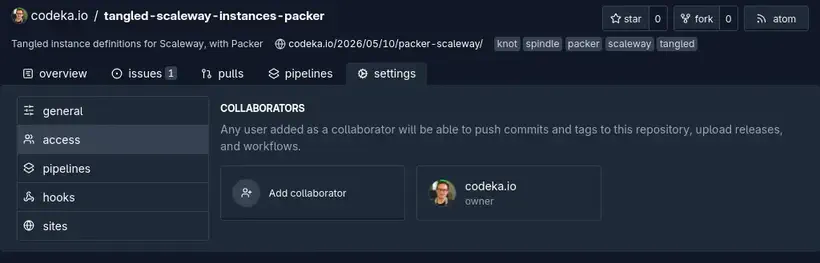
It is also possible to grant access to other users, who can then push code directly to the repo.
For the social side, you can star a repo, fork it, and even subscribe to an atom feed that allows following issues, PRs, commits, and tags of a project. I find the idea of an atom feed very clever. It avoids being bombarded with notification emails and allows filtering and organizing follow-ups in an RSS client.
For all these features, no big surprise, it’s quite classic.
Hosting your own knot
The knot is the server that hosts Git data.
To host a knot, you need a server and a DNS domain through which the knot will be accessible, exposed to the internet. The knot must also be accessible via HTTPS, so a valid SSL certificate is also necessary.
Several installation methods are proposed by Tangled: on a VM via Nix, via a manual installation (script-based), or via a Docker image.
For simplicity, I decided to create a Debian VM on Scaleway and install my knot with docker compose (where I feel most comfortable debugging if I encounter a problem).
No minimum specifications are indicated for installation, so I took a tiny machine (1 vCPU and 1G of RAM). The goal is mainly for the service to run; I don’t particularly expect it to be high-performance.
After installing Docker and the compose plugin (I’ll skip those steps), I retrieve the docker-compose.yml file from Tangled.
It is relatively simple; it contains a container for the knot and a container for Caddy, with HTTPS exposure.
The knot image is available on the ATCR registry (also linked to AT Proto).
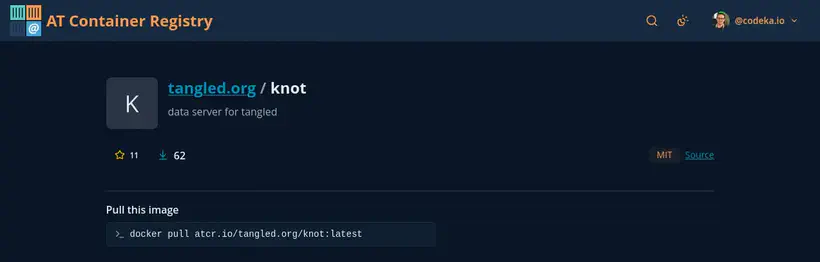
Retrieving the image (which you can also build yourself, of course) requires an account on atcr.io. Again, simply log in with your AT Protocol account on atcr, and then use an App Password to perform the docker login:
$ docker login atcr.io
Username: codeka.io
Password:

Login Succeeded
To start, the knot needs several pieces of information: the DNS name used to expose it and the AT Protocol did identifier of the user account that owns the knot.
export KNOT_SERVER_HOSTNAME=knot.codeka.io
export KNOT_SERVER_OWNER=did:plc:a27wdjlmq3ebx4v5f2jpzvsk
$ docker-compose up -d

 ✔ Image caddy:alpine                    Pulled        4.4s
 ✔ Image atcr.io/tangled.org/knot:latest Pulled        9.3s
 ✔ Network tangled_default               Created       0.3s
 ✔ Container tangled-knot-1              Started       2.0s
 ✔ Container tangled-frontend-1          Started       1.7s
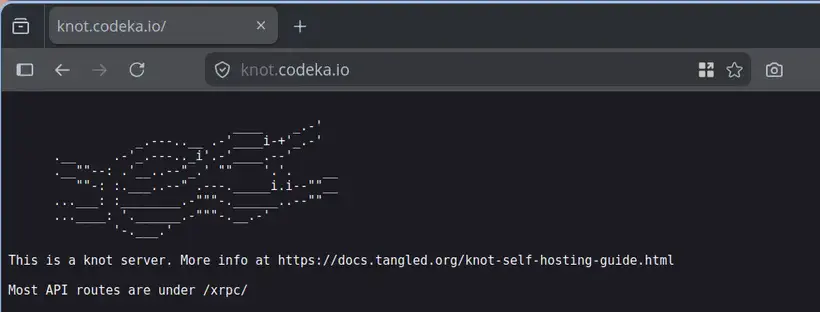
Once everything is started, I access my knot’s URL:
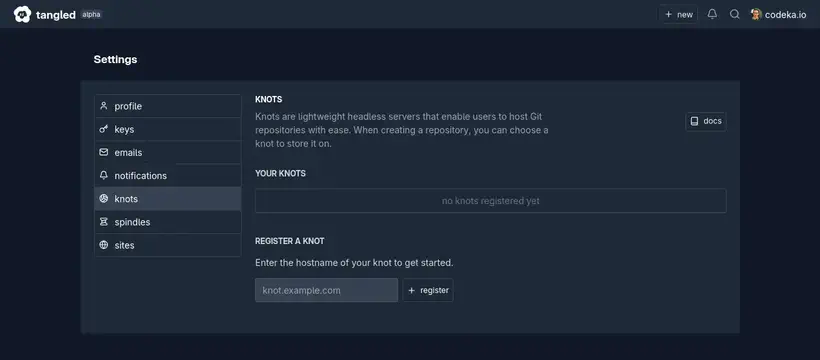
Back in the Tangled interface, I can now add my knot to my user account, via my account settings:
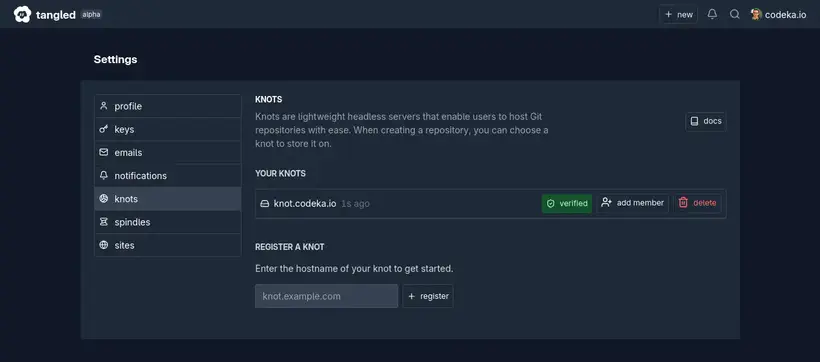
Once my knot is added in Tangled, when I want to create a repository, my knot is offered in the form.
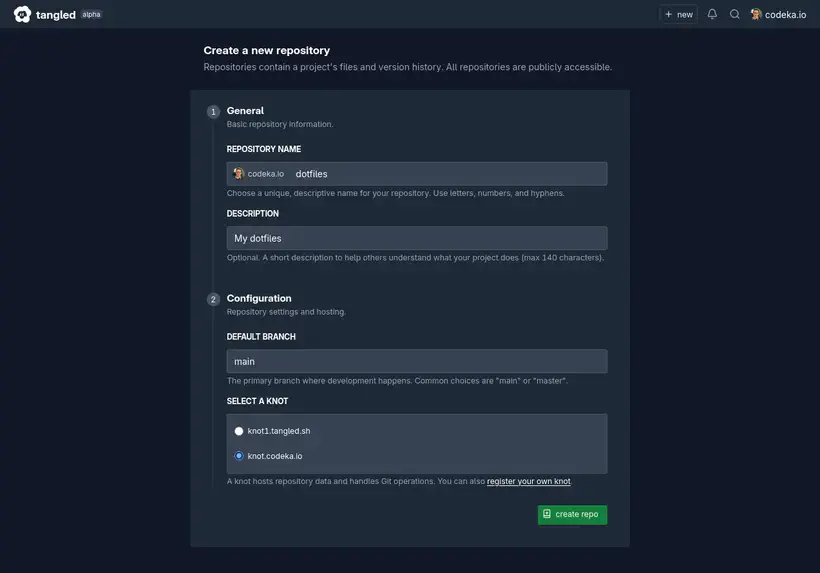
When the repo is created, it then appears on my knot, in a directory named after its AT Protocol “did”:
tangled@tangled-knot:/home/tangled/repositories# ls
did:plc:uam62c7dmtnxgca3jlad63kg
And there you go! Push/pull of my code can now land on my own knot!
I haven’t found a procedure to migrate an existing repo to another knot. I think it’s the kind of feature that will arrive in the coming weeks or months.
Using a knot without Tangled?
The knot is indeed a classic Git server (boosted with AT Proto). It is also possible to clone repos and push code without going through Tangled.
The subtlety is that repositories are created with an AT Protocol identifier (and not their name), but otherwise everything looks like classic Git.
For example, I can clone a repo by directly using my knot’s URL and a repo’s did:
$ git clone git@knot.codeka.io:did:plc:zfbeaslfchzzd2tbmjqjl4mt
Cloning into 'zfbeaslfchzzd2tbmjqjl4mt'...

Welcome to CodeKaio knot!

remote: Enumerating objects: 161, done.
remote: Counting objects: 100% (161/161), done.
remote: Compressing objects: 100% (145/145), done.
remote: Total 161 (delta 107), reused 0 (delta 0), pack-reused 0 (from 0)
Receiving objects: 100% (161/161), 19.65 KiB | 1.09 MiB/s, done.
Resolving deltas: 100% (107/107), done.
This operation clearly opens up the possibility of migrating code easily, simply by registering an existing Git repo as a knot or being able to use multiple interfaces for the same code repo, such as coupling Tangled with Forgejo or Gitea.
This is currently not tooled by Tangled, but it’s an interesting perspective for facilitating incoming or outgoing migrations.
Issues and PRs
In addition to code, one expects a development platform to have issue and pull request management. Tangled offers its implementation which is quite complete, as one would imagine, and with a few small originalities.
Issues and Labels
Regarding issue and label management, Tangled offers a system similar to GitHub.
Issues consist of a title, a description (both in markdown), and labels.
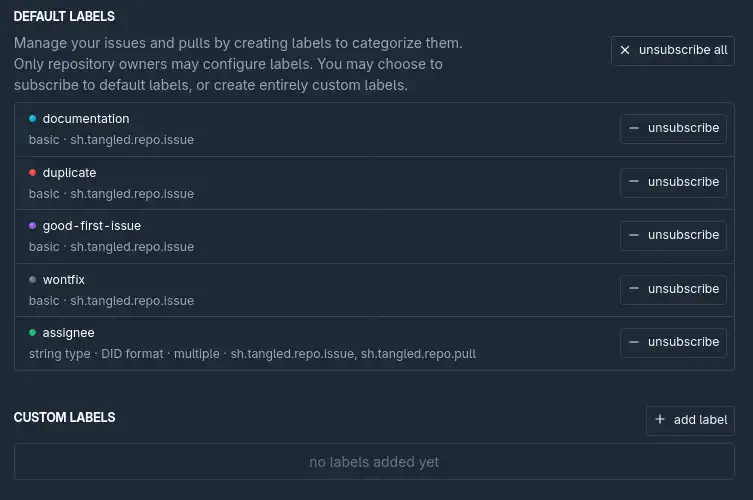
Each new repo is initialized with basic labels (remember this term): “documentation”, “duplicate”, “good-first-issue”, “wontfix”.
It is also possible to create your own basic labels from a repo’s configuration page.
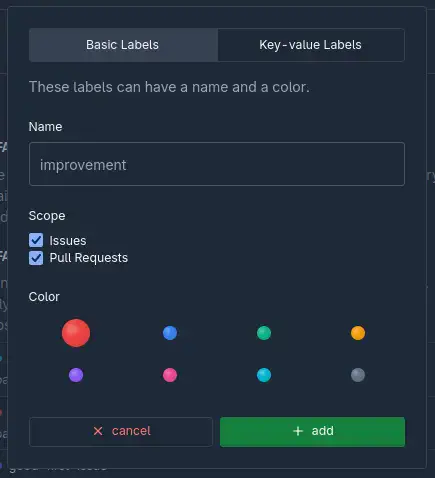
To top off the sadness, label names cannot contain emojis 😢 (at least for now).
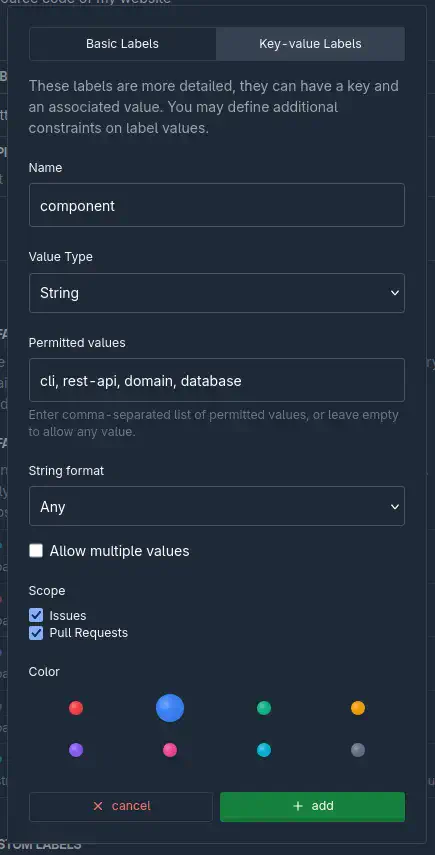
In addition to basic labels, there are “Key-Value” labels. These labels have a name and an associated value, given when applying the label to an issue or PR. The value can be a string, an AT Protocol did, or a number, and can even be multiple.
The use cases for “Key-Value” labels are interesting, and the first case presented by Tangled is an “assignee” label, which has a did as its value, thus the person to whom the issue is assigned. It is thus possible to have, for example, a “component” label that references the impacted component(s), or even estimation labels (for the bold).
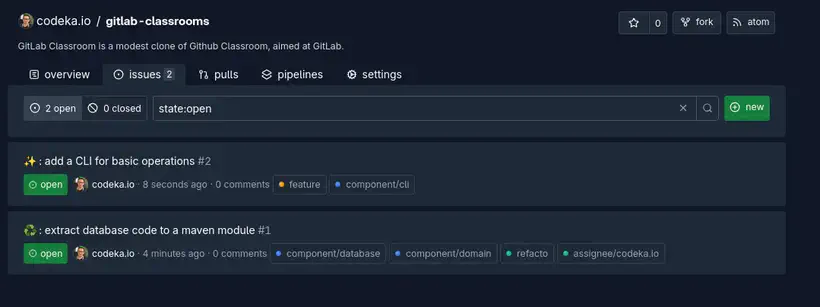
On an issue, labels are then presented as a small form next to the issue, which is really well done and practical.
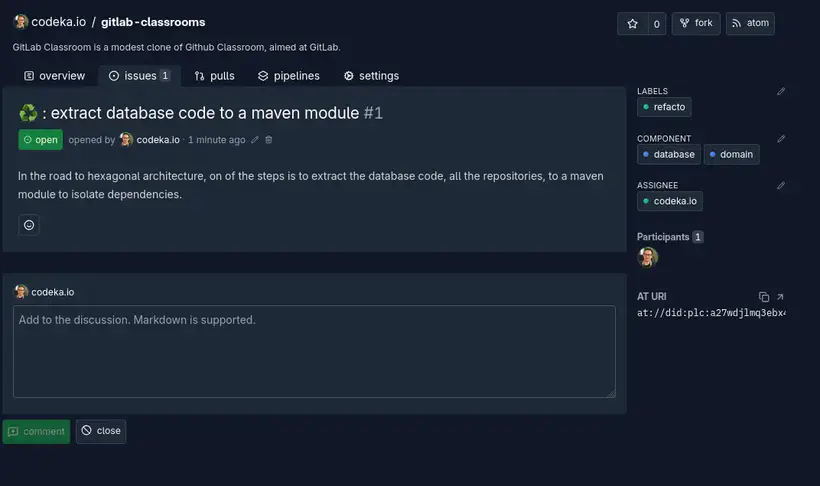
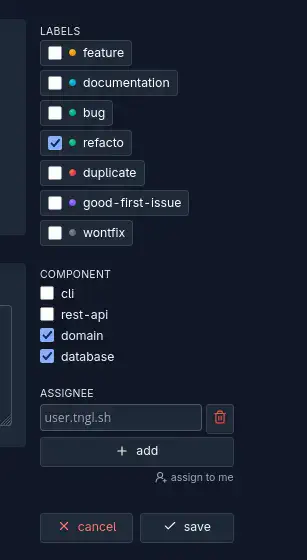
The flexibility offered by this label system is really cool; I think we’ll find original uses for it in the future, but it’s already very practical from my point of view.
Opening a Pull Request
Opening a PR on Tangled is quite similar to other tools.
To do this, go to the desired repo, in the Pull Requests tab, and click the “New” button.
The form then offers to compare two branches, a fork, or to simply submit a git diff or a patch manually.
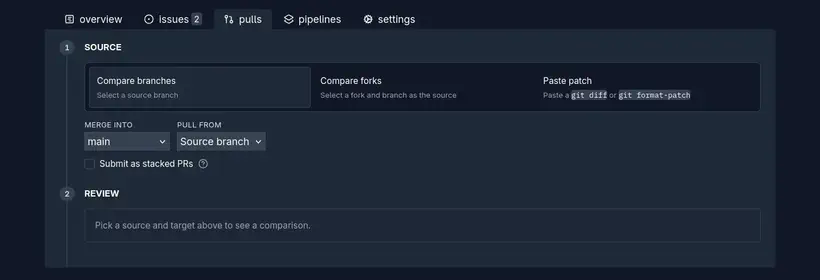
It is also possible to add a title and description, which are optional; Tangled manages to extract information from the first commit to populate these fields.
Being able to create a PR just from a diff allows submitting small patches without having to fork the repo. This is an excellent idea.
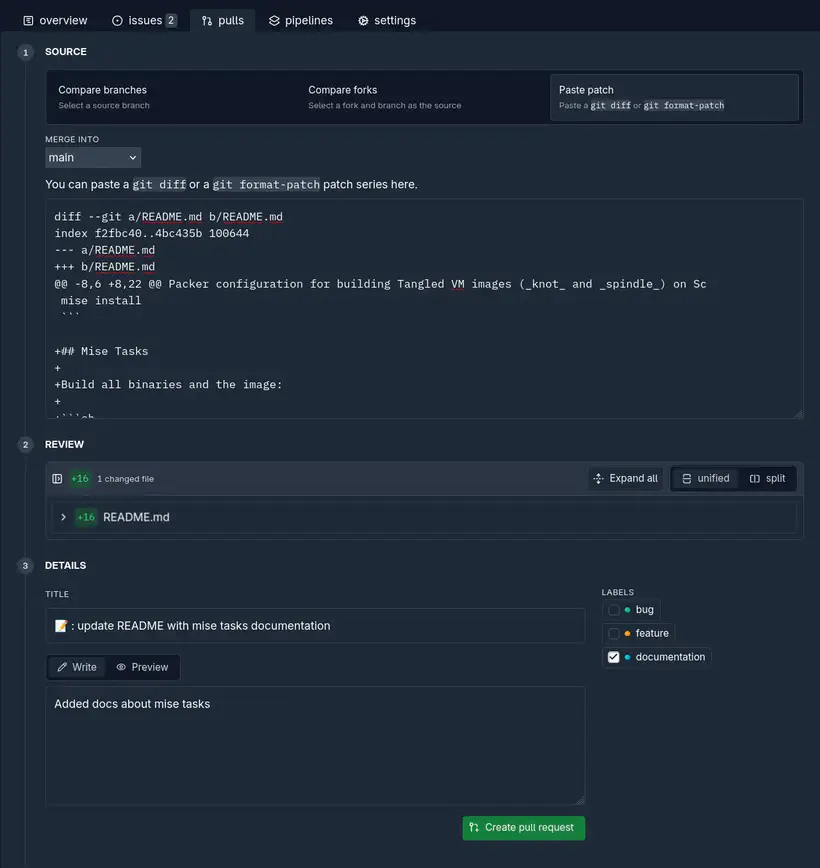
The PR view is well organized, the code is highlighted, and comments and action history are on the side. Here, code is indeed king 👑
We are not that lost; we find everything we usually do.
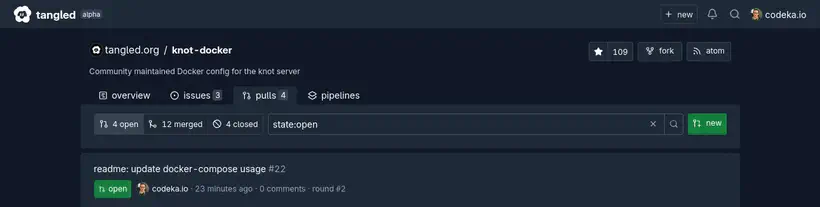
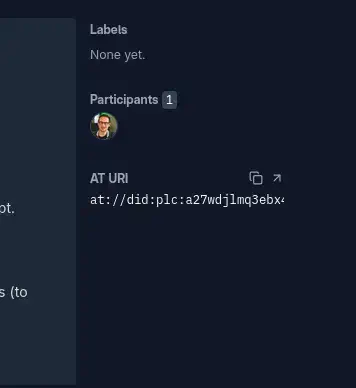
PRs are stored as AT Protocol records in the PDS of the user who opens the PR. The record’s URI is visible in the Tangled interface.
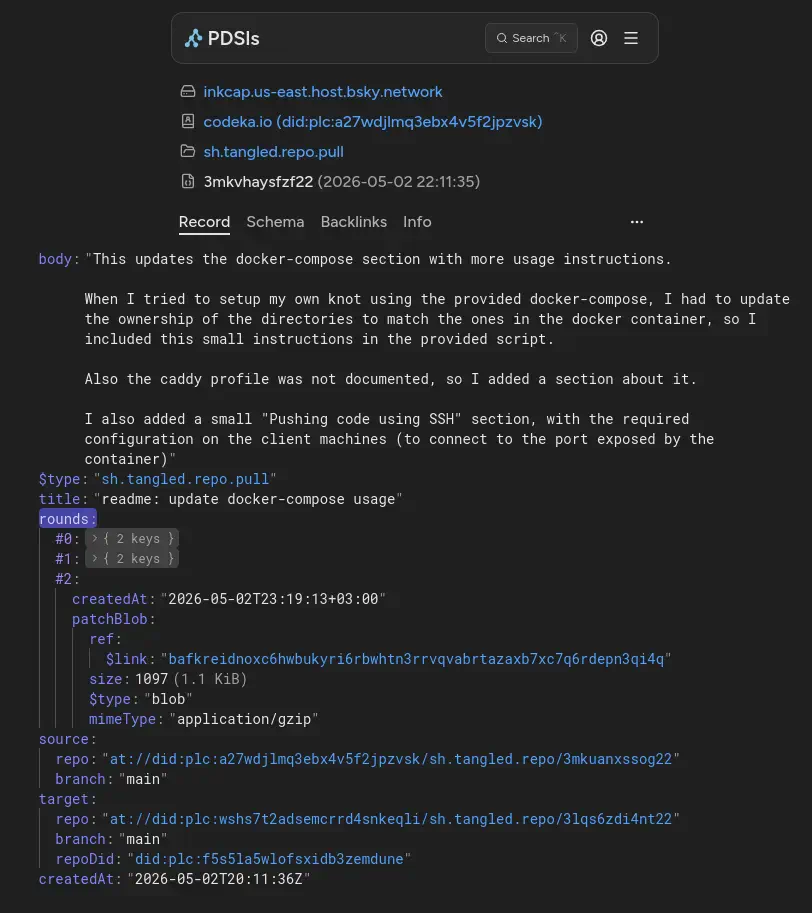
One can then directly see the AT Protocol record, with its different fields. We find information on the PR (title and description), the rounds correspond to successive pushes and reference the blob containing the PR patch.
Continuous Integration
No good platform without continuous integration.
It is possible for each repository to configure webhooks, which are transmitted with each code push. They allow hooking into classic continuous integrations, like Jenkins, or integrating other tools (Tangled documentation cites a Discord integration as an example).
Beyond webhooks, Tangled offers its own basic continuous integration system. Pipelines are described in YAML, inspired by GitHub Actions, and executed by spindles.
Pipelines
Continuous integration pipelines are described by files present in a .tangled/workflows directory at the root of repos.
The pipeline syntax is very close to GitHub Actions, but with a more declarative approach, especially on clone and dependency management.
A workflow describes which actions trigger pipeline execution (a git push, opening a PR, or manual trigger), how the repo should be cloned, what dependencies are needed for pipeline execution, and what steps are to be executed.
There are 4 configuration blocks in a pipeline: when, clone, dependencies, and steps. One must also declare an engine (only “nixery” is available for now), and environment variables can be added with an environment block.
In this regard, the documentation is quite complete and provides a base pipeline example:
when:
  - event: ["push", "pull_request"]
    branch: ["main"]

engine: "nixery"

clone:
  skip: false
  depth: 1
  submodules: false

dependencies:
  nixpkgs:
    - nodejs
    - go

environment:
  GOOS: "linux"
  GOARCH: "arm64"

steps:
  - name: "Build backend"
    command: "go build"
  - name: "Build frontend"
    command: "npm run build"
    environment:
      NODE_ENV: "production"
Pipeline execution relies on Docker images.
These images are created using Nixery (hence the engine declaration), which relies on Nix and optimizes pipeline dependency management in Docker layers.
I didn’t know this tool; it’s another stroke of genius here.
Dependencies are declared in YAML like this:
dependencies:
  nixpkgs:
    - nodejs
    - go
They are resolved by executing pipelines in a Docker image containing the two requested packages, plus bash, git, coreutils, and nix packages. The Docker image retrieved is then nixery.tangled.sh/bash/git/coreutils/nix/nodejs/go.
To accompany pipeline execution, Tangled offers minimalist secret management (key/value), backed by OpenBao.
Adding secrets is done simply in a repo’s settings:
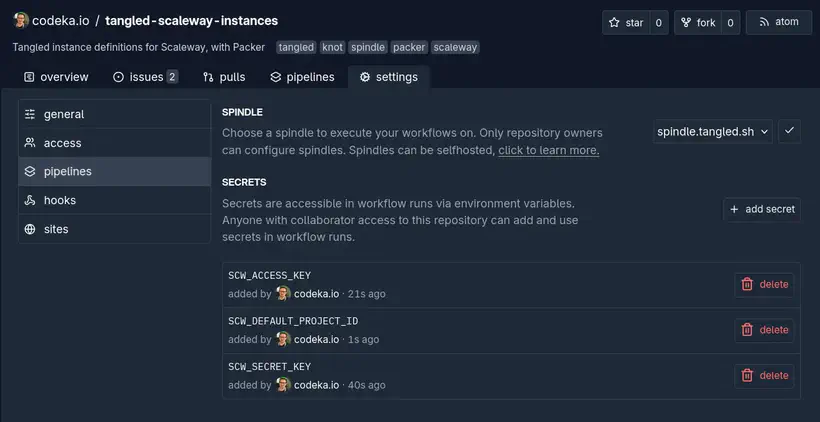
Secrets are then injected as environment variables. This is once again quite classic. Note that secrets are write only in the Tangled interface. Secrets are stored at the spindle level (and not in an AT Proto record, nor in Tangled itself), which is a good thing for security.
The pipelines view of a repo allows listing all pipelines that have been executed, as well as their state.
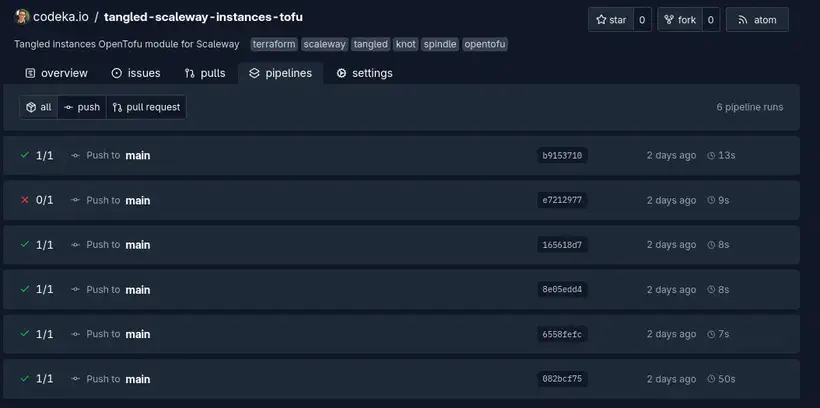
Clicking on a pipeline allows access to its logs.
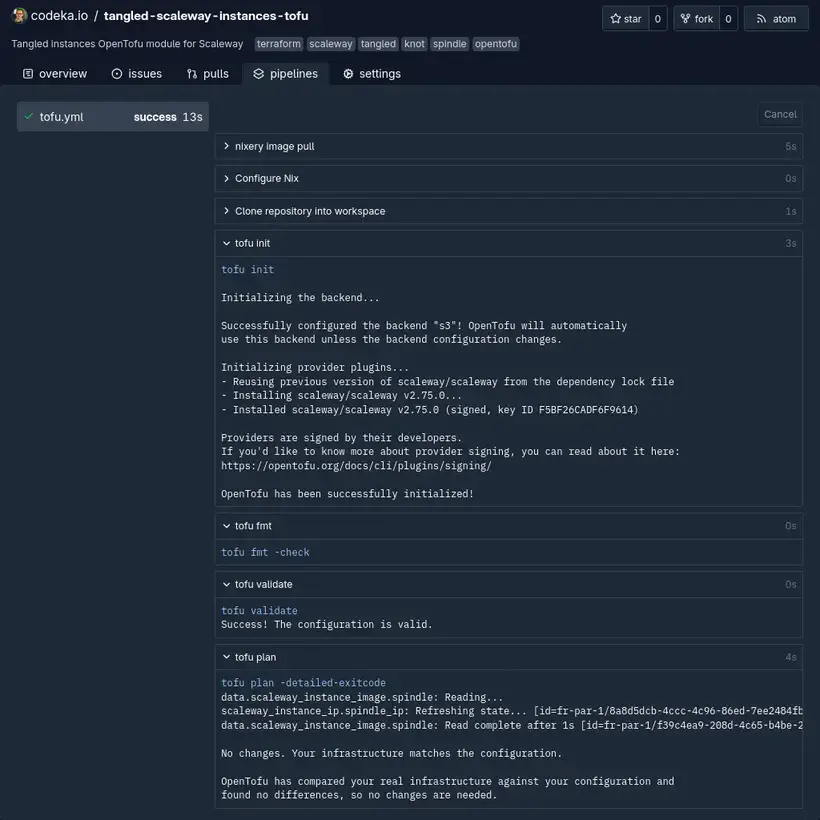
A button also allows canceling the execution of a running pipeline.
It is currently very basic, but it has the merit of existing and being quite easy to use. For now, it is not possible to trigger pipelines manually from the interface, nor to configure complex workflows (like those possible with GitLab CI, for example, with a DAG and optional steps). These are perhaps features that will be developed in future versions.
Hosting your own spindle
Continuous integration on Tangled is handled by spindles.
Spindles are pipeline executors, similar to GitLab CI runners or GitHub Actions.
Selecting a spindle is done in a repo’s settings.
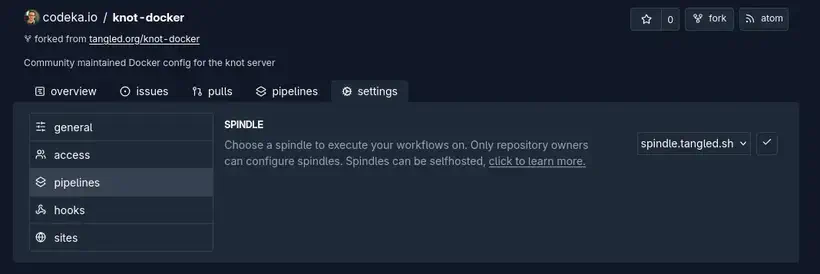
In the same way as the knot, it is possible to host your own spindle on a server.
To do this, I followed the procedure in the Spindles self-hosting guide.
On a VM, after installing mise (yes, him again haha), I built the spindle binary with the following commands:
$ git clone https://tangled.org/tangled.org/core
Cloning into 'core'...
remote: Enumerating objects: 27593, done.
remote: Counting objects: 100% (27593/27593), done.
remote: Compressing objects: 100% (7335/7335), done.
remote: Total 27593 (delta 20524), reused 25711 (delta 19179), pack-reused 0 (from 0)
Receiving objects: 100% (27593/27593), 18.90 MiB | 15.63 MiB/s, done.
Resolving deltas: 100% (20524/20524), done.

$ cd core/
$ mise use go
$ go mod download
$ go build -o cmd/spindle/spindle cmd/spindle/main.go
I then configured the two necessary environment variables (like for the knot), which are SPINDLE_SERVER_HOSTNAME and SPINDLE_SERVER_OWNER, and then I execute the spindle:
tangled@tangled-spindle:~$ ./bin/spindle
2026/05/15 14:38:08 INFO spindle/db: migration applied successfully migration=repos-to-repo-did
2026/05/15 14:38:08 INFO spindle: using sqlite secrets provider path=/home/tangled/spindle.db
2026/05/15 14:38:08 INFO spindle: tap db not yet created, marking resync nudge done migration=force-tap-repo-resync-v1 path=tap.db
2026/05/15 14:38:08 INFO spindle: initialized queue queueSize=100 numWorkers=2
2026/05/15 14:38:08 INFO spindle: initialized workflow semaphore maxConcurrentWorkflows=8
2026/05/15 14:38:08 INFO spindle/jetstream: adding did to in-memory filter did=did:plc:a27wdjlmq3ebx4v5f2jpzvsk
2026/05/15 14:38:08 INFO spindle: owner set did=did:plc:a27wdjlmq3ebx4v5f2jpzvsk
2026/05/15 14:38:08 INFO spindle: embedded tap: using random admin password
2026/05/15 14:38:08 INFO spindle/jetstream: done waiting for did
2026/05/15 14:38:08 WARN spindle: couldn't get last time us, starting from now error="sql: no rows in result set"
2026/05/15 14:38:08 INFO spindle: found last time_us time_us=1778855888237012
2026/05/15 14:38:08 INFO spindle/jetstream: connecting to websocket component=jetstream-client url="wss://jetstream1.us-west.bsky.network/subscribe?cursor=1778855888237012&wantedCollections=sh.tangled.spindle.member"
2026/05/15 14:38:08 INFO spindle: no pre-existing cursor in database system=tap component=firehose relayUrl=https://bsky.network
2026/05/15 14:38:08 INFO spindle: connecting to firehose system=tap component=firehose url=wss://bsky.network/xrpc/com.atproto.sync.subscribeRepos cursor=0 retries=0
2026/05/15 14:38:08 INFO spindle/embedtap: tap http server listening bind=[::1]:2480
2026/05/15 14:38:08 INFO spindle: starting tap client url=http://[::1]:2480
2026/05/15 14:38:08 INFO spindle: starting spindle server address=0.0.0.0:6555
2026/05/15 14:38:08 INFO spindle: starting knot event consumer
2026/05/15 14:38:08 INFO spindle/eventconsumer: starting consumer config="{map[] 0x159d7e0 15m0s 1h0m0s 10s 5 100 0xc000340e30 false 0xc000144630}"
2026/05/15 14:38:08 INFO spindle: websocket connected system=tap component=server
2026/05/15 14:38:08 INFO spindle: connected to tap service subscription_code=101
2026/05/15 14:38:08 INFO spindle: tap declare: known owner DIDs registered count=0
2026/05/15 14:38:08 INFO spindle: established tap connection
2026/05/15 14:38:08 INFO spindle: connected to firehose system=tap component=firehose
2026/05/15 14:38:08 INFO spindle/jetstream: starting websocket read loop component=jetstream-client
Back in the Tangled interface, in my profile settings, I add my spindle:
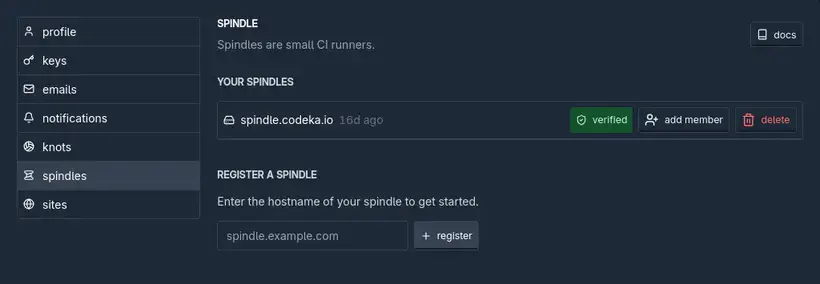
Then on my repos, I can select my spindle for pipeline execution:
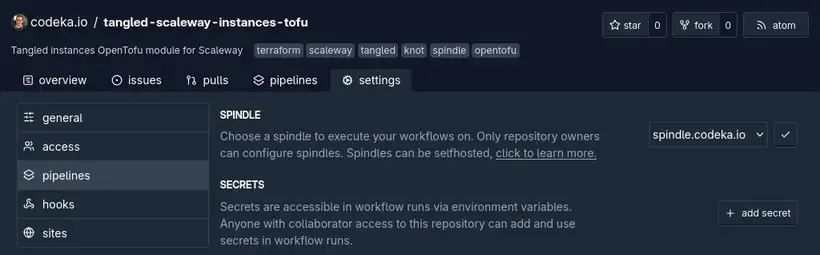
Pipelines I trigger will now be executed on my own spindle!
My pipeline logs are then stored in my spindle (and shown in the Tangled interface during consultation).
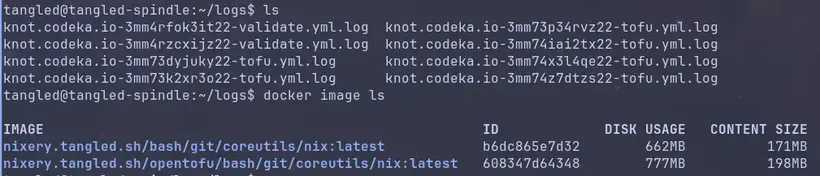
Hosting your own spindle is quite easy and allows, to some extent, that pipeline secrets are not stored elsewhere. To go all the way with self-hosting a spindle, you can also configure your own instance of OpenBao to store pipeline secrets. This is a step I haven’t done yet, but I will do in the coming weeks.
Other Features
In addition to all that, there are two other features on Tangled that are inspired by GitHub.
Strings
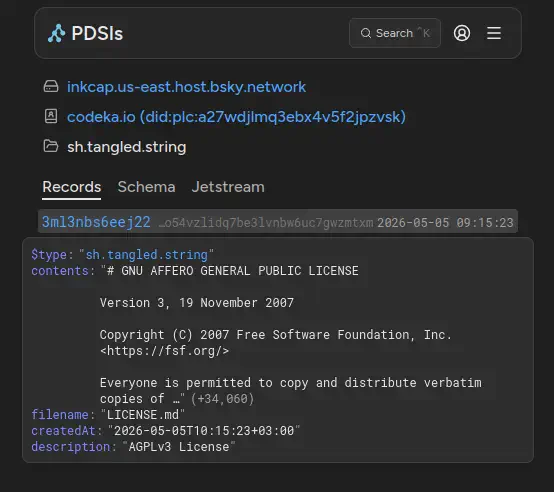
Strings are shareable snippets, the equivalent of a gist in GitHub.
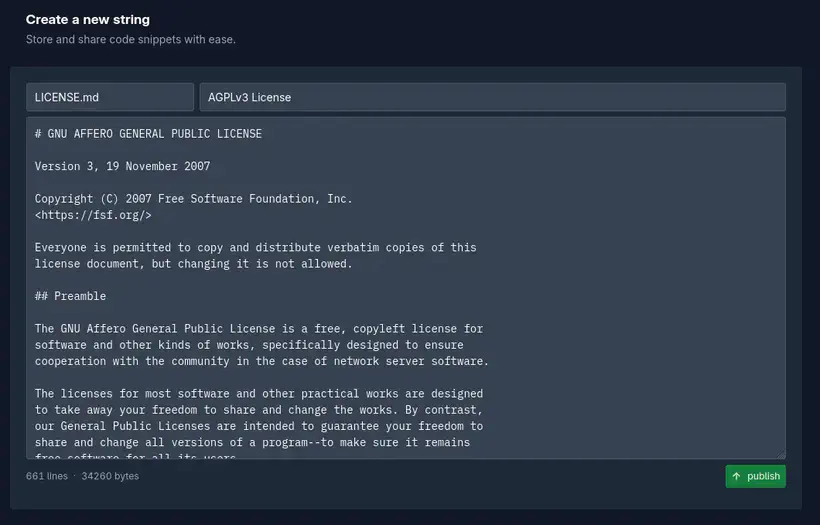
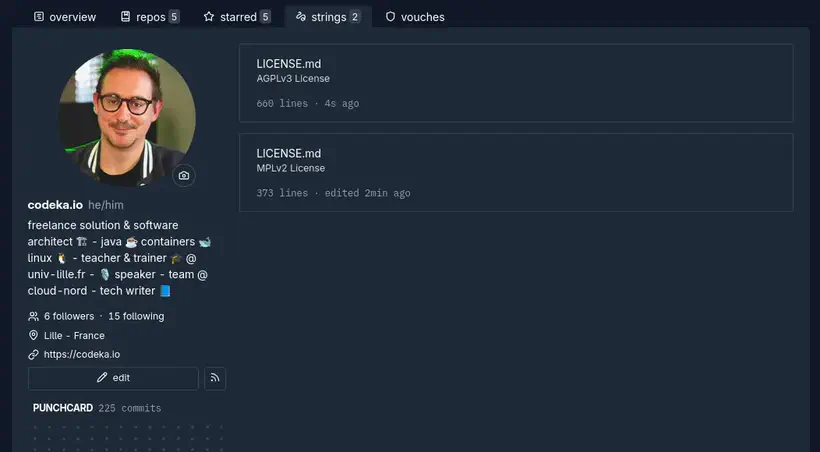
Strings can then be shared with their link, which is public.
Be careful, string content is indeed public and stored on PDS in an AT Proto record. Be careful what you store there.
Vouching
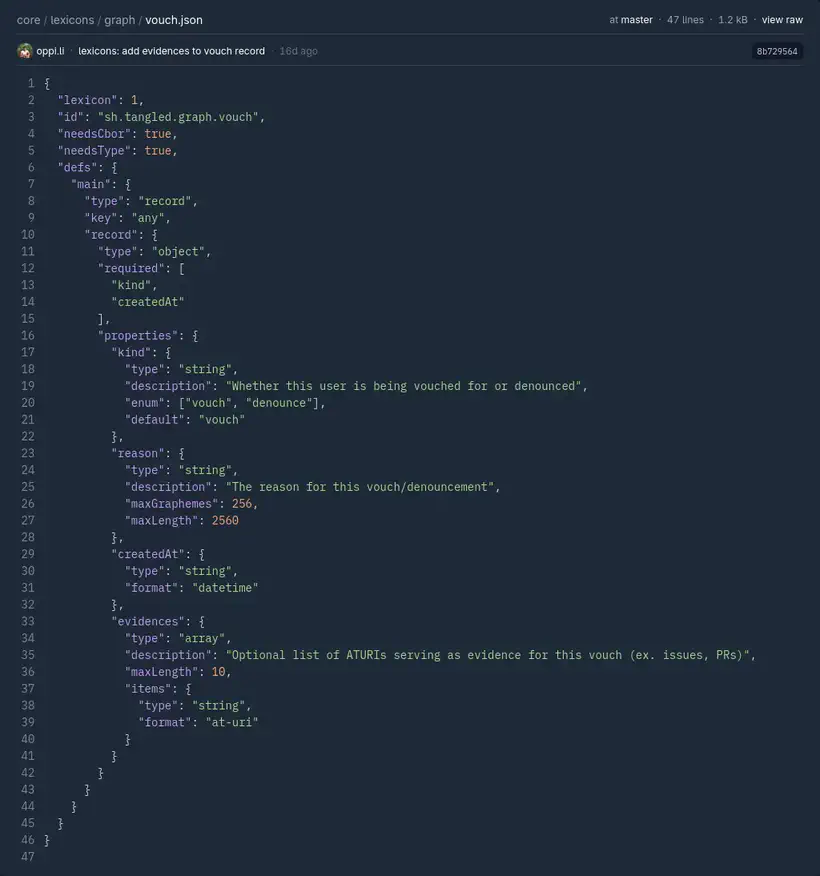
Vouching, inspired by vouch by Mitchell Hashimoto, introduces the notion of trust into the platform.
It allows you to vouch for or denounce (report) other users you have interacted with. The goal is to create an ecosystem of trust, especially to keep away low-quality contributions (often generated with an LLM, by the way).
Each vouch or report must be accompanied by a comment. Information is then visible on the direct circle (you yourself vouched or denounced someone) or indirect circle (someone you vouched or denounced has vouched or denounced someone else).
A detailed article was published on this subject on the Tangled blog: combat LLM spam by building a web of trust.
Vouches are again stored on the AT Protocol, in the PDS of the users who issue them.
I haven’t really tested this feature. We’ll see how it takes off. In any case, it’s interesting that this is a native Tangled feature and that it is once again a feature implemented on the AT Protocol.
Things I think are missing
No grouping of repos (orgs/groups)
It is currently not possible to create organizations that are not attached to a human account and have users join them.
I like GitLab’s approach with the notion of groups; it’s perhaps something that’s missing a bit. It’s often practical for grouping projects together.
The workaround seems to be creating an AT Protocol account for the organization (assoc, company, or otherwise, or even the project) and granting access rights repo by repo to contributors. It’s a bit cumbersome and might require switching between multiple accounts.
No release management
The notion of release is also missing for now. It is possible, at the tag level, to attach files (like compiled binaries or packages); the tag source code is attached by default. What’s mainly missing is the ability to attach a CHANGELOG or RELEASE NOTES to a particular version.
No maintenance operations on repos
It doesn’t seem possible at the moment to perform some operations on repos like renaming them or transferring them.
This might not be very serious in itself, but it risks being a bit limiting, especially if one multiplies forks.
With self-hosting of knots, it would also be interesting to see on which knot a repo is hosted and to be able to transfer a repo from one knot to another.
No private repos (but I don’t think it’s possible)
By nature, Tangled data being hosted on AT Proto, it is not possible to have private data.
Code, issues, PRs, strings—all of it is public. This is probably a barrier to adoption for a number of users.
For my part, I have a few private repos on GitLab that contain client data (code, but also docs).
This need cannot be carried on Tangled. Tangled will therefore not be able to completely replace GitLab or GitHub as it stands (and I don’t see how they could). But for entirely open-source projects, no problem.
Tooling and doc not very developed yet
For now, the documentation is not very extensive and is very oriented around hosting one’s own knot and spindle.
As Tangled looks a lot like GitHub, we are not surprised or lost, but I think one can easily miss some features that are not immediately visible. It is possible to contribute to the documentation in Tangled’s mono repo: https://tangled.org/tangled.org/core/blob/master/docs/DOCS.md. All documentation is in one huge markdown file at the moment. This is likely to evolve quickly as I find it hard to imagine how it would be practical to maintain.
Regarding automation, there seems to be an API that can be called, but it is not documented at all. For now, therefore, exit automation with a CLI, except for reverse engineering the API or directly editing AT Protocol records.
An unofficial CLI named tang is under development, and the Tangled team announced a CLI for 2026 (in their seed round announcement).
Community and the Future of the Platform
I’ve talked a lot about the tool and how it works, but not yet about the community and the different projects hosted on Tangled.
For now, we find many projects relying on AT Protocol (surprise?): PDSls, Streamplace, Rocksky, Standard.site, Leaflet; as well as all their contributors.
It’s actually quite fascinating to explore. By following the timeline and checking out repos starred by certain profiles, I discovered a lot of interesting projects that made me want to test them (standard.site is next on my list).
There are also a few Open Source personalities among the platform’s users, in particular Dan Abramov (ex-React) and Mitchell Hashimoto (ex-HashiCorp and Ghostty maintainer).
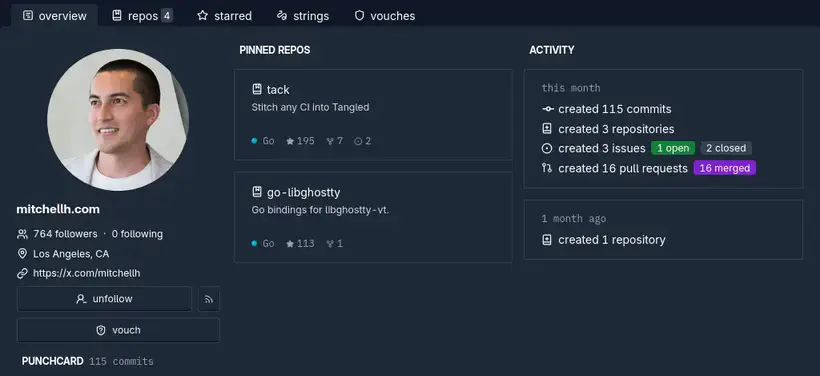
Mitchell Hashimoto has also started a new project on Tangled, tack, which allows replacing the CI engine with another solution than spindles. This is probably part of his tests to play with the platform and see if he could host Ghostty’s code there.
For now, Tangled seems quite confined to this type of project. This could change over time; the platform is still young, and it would only take a few popular projects joining Tangled for many users to move in (maybe Ghostty in the coming months?).
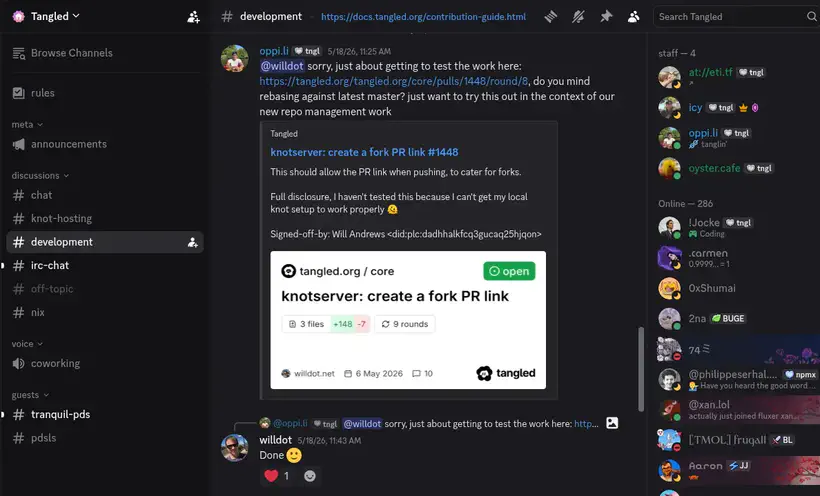
The Tangled community is quite active on their public Discord server. You can talk to the platform’s maintainers. During the last three weeks, I’ve tested and tinkered with the platform and my own knot and spindle quite a bit; I opened a few issues that got responses, talked a bit with community members, and was happy with the exchanges every time. It’s also perhaps this proximity and this open community that could make Tangled a success.
One of the questions one might ask is, “is Tangled sustainable?”.
In early March 2026, the team announced a seed round of 3.8 million euros. This should fund the Tangled team and infrastructure for a good while. Given that the platform is self-hostable, it is possible to create your own isolated instance of Tangled, and the storage of data on AT Proto (even partial) should make reversibility possible.
Once the seed money is spent, it’s likely Tangled will look for revenue. Since AI is clearly not in their DNA (and that’s good), they probably won’t follow the path of an expensive code assistant (unless their investors put pressure on that subject). I’m leaning more towards a future with the sale of knot and spindle hosting services.
Conclusion
Tangled is currently in alpha version. And this qualification implies instabilities. During my 3 weeks of testing, I experienced several outages, 500 errors when navigating repos, and even a bug when deleting a repo that left it in an unstable state (deleted from PDS and knot but not from the App). It moves a lot, and we see the platform evolving week by week.
So we are indeed still in an experimental phase. If you are looking for a stable and mature platform, Tangled is not for you (at least for now). If you are looking for a platform to host corporate code, Tangled is not for you, due to its completely open nature.
On the other hand, if you are interested in the AT Protocol or are looking for a cool place to host open-source code, Tangled is a good option. The platform is still young and does not benefit from the visibility that GitHub offers. But this situation could change over time (who remembers Sourceforge before GitHub’s hegemony?).
Tangled opened a door to the AT Protocol for me. I didn’t know the concepts that well, and as I discovered projects, I found a rich ecosystem with an approach to decentralization that I like.
In any case, for my toy projects, I’ve decided I’d rather entrust them to Tangled than to GitHub.
I’ll keep my projects mirrored on GitHub and GitLab (and maybe elsewhere too?), just to give them extra visibility, but the main git remote of my projects (and this site) will be Tangled.
Git is by nature a decentralized system. AT Protocol is as well. I think Tangled makes the two match well.
Links and References
- Tangled
- Knots
- Spindles
- Vouching